Why do we need Huawei USB Driver?
Huawei smartphones and tablets are popular worldwide across EMUI, HarmonyOS, and MagicOS software lines.
These Android-based devices generally work with official ADB drivers. In some cases, though, the default drivers are not enough when you need to flash or install Stock Firmware, unlock the bootloader, or connect the device reliably over USB.
That is where the Huawei USB Driver for Windows helps. After you install it, you can connect your Huawei phone to a Windows computer more reliably for ADB, Fastboot, and USB file transfer.
It is useful when you want to transfer or sync data between the device and the computer, free up storage, or keep a stable connection for troubleshooting and firmware work.
You can also use the Huawei USB Driver together with ADB and Fastboot tools when updating software, unlocking the bootloader, or flashing firmware on supported Huawei devices.
Download Huawei USB Driver for Windows
How to Install Huawei USB Driver on Windows?
Follow the steps below to install the Huawei USB Driver on a Windows PC.
- Download and extract the Huawei USB Driver on the computer.

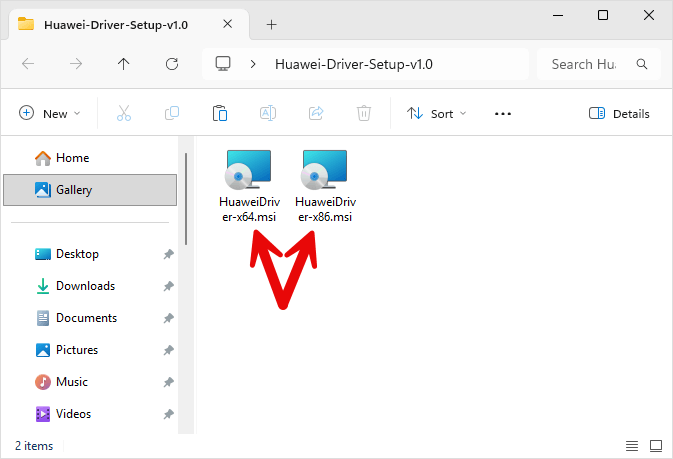
- Once the Huawei USB Driver package is extracted, you will get HuaweiDriver-x64.msi (64-bit) and HuaweiDriver-x86.msi (32-bit).
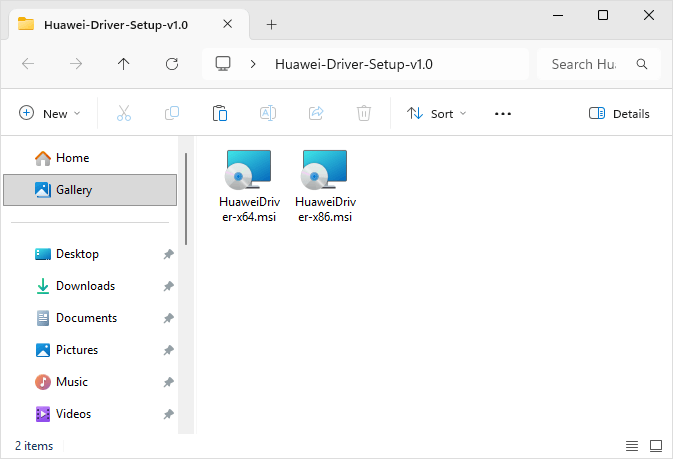
- Double-click the installer that matches your Windows PC: HuaweiDriver-x64.msi for 64-bit or HuaweiDriver-x86.msi for 32-bit.
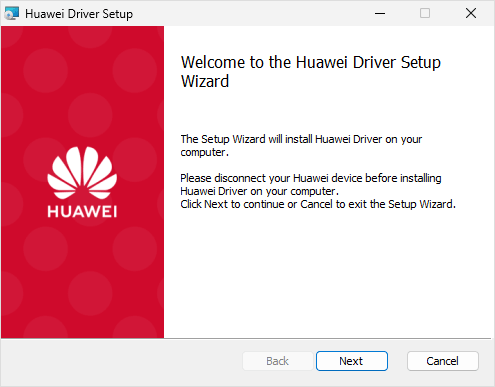
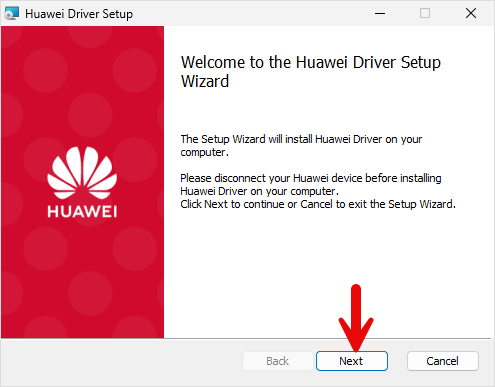
- Once the Setup window opens, click Next to continue.
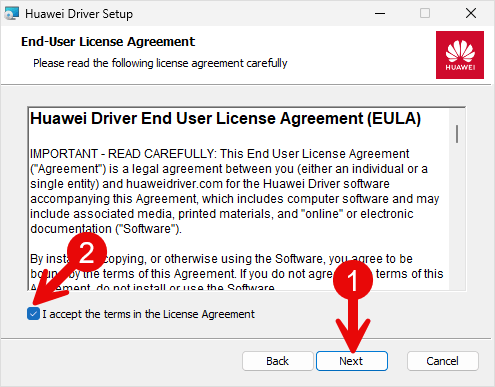
- Again, click Next to continue.
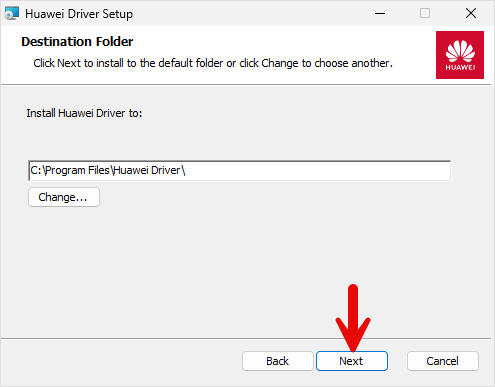
- Choose the installation location (leave the default) and click Next.
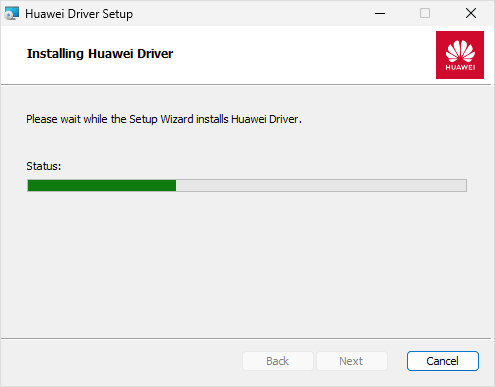
- Installation will begin and may take a few seconds to complete.
- Once installation is complete, click Finish to exit the Setup window.
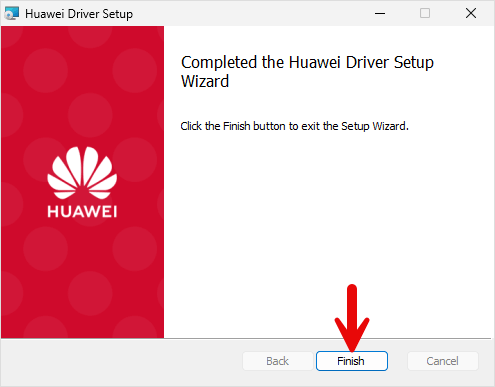
- Restart the Computer. Once the computer is restarted, you can easily connect the Huawei devices to the computer.
Huawei USB Driver – Help and Information
What is the Huawei USB Driver?
The Huawei USB Driver is a Windows driver package that helps your PC recognize Huawei phones and tablets over USB. Once installed, it supports common tasks such as file transfer, ADB, Fastboot, and firmware-related connections without needing a separate PC suite.
For which platforms are Huawei USB Drivers available?
The Huawei USB Driver is made for Windows PCs and laptops, including Windows 7, 8, 8.1, 10, and 11, on both 32-bit and 64-bit systems. It is not needed for macOS or Linux in most cases, because those platforms usually handle Android USB connections without a separate Huawei driver package.
Is Huawei USB Driver free?
Yes. The Huawei USB Driver package shared on this site is free to download and use. It is based on the USB drivers shipped with the Huawei PC Suite.
Is Huawei USB Driver safe?
Yes, when you download it from this website. The package is intended only to install USB communication drivers for Windows. As with any driver installer, download it from a trusted source, then install it using a normal Windows setup flow.
How often is the Huawei USB Driver updated?
There is no fixed monthly schedule. The package is updated when needed to improve compatibility, fix installation issues, or support newer Huawei phones and tablets on current Windows versions.
How can I install Huawei USB Driver?
Download the driver package, extract the ZIP file, then run the setup file and follow the on-screen steps. The process is similar to installing a regular Windows application. For screenshots and detailed steps, see the How to install Huawei USB Driver guide.
What devices does Huawei USB Driver work with?
It is intended for Huawei phones and tablets running Android, including current and older models listed on this site. Support for unrelated brands or non-Huawei devices is not guaranteed.
Does Huawei USB Driver require an internet connection to use?
No. After the driver is installed, you do not need Wi-Fi or an active internet connection to use it. Connect your Huawei phone to the computer with a USB cable.
Can I view the contents on my device with the Huawei USB Driver?
The driver itself is only the communication layer. After it is installed, set the phone’s USB mode to File Transfer / MTP (and enable USB debugging if you need ADB). Then you can browse files in Windows File Explorer, or use ADB tools for advanced access.
Does Huawei USB Driver work with both mobile and desktop devices?
Install the Huawei USB Driver on a Windows desktop or laptop. Your Huawei phone is the mobile device that connects to that computer over USB. The driver is not installed on the phone itself.
Where can I find the Huawei Stock Firmware?
If you need original Huawei stock firmware (ROM) files, visit Huawei Stock ROM website.